Installing the PulseIQ Local Hub
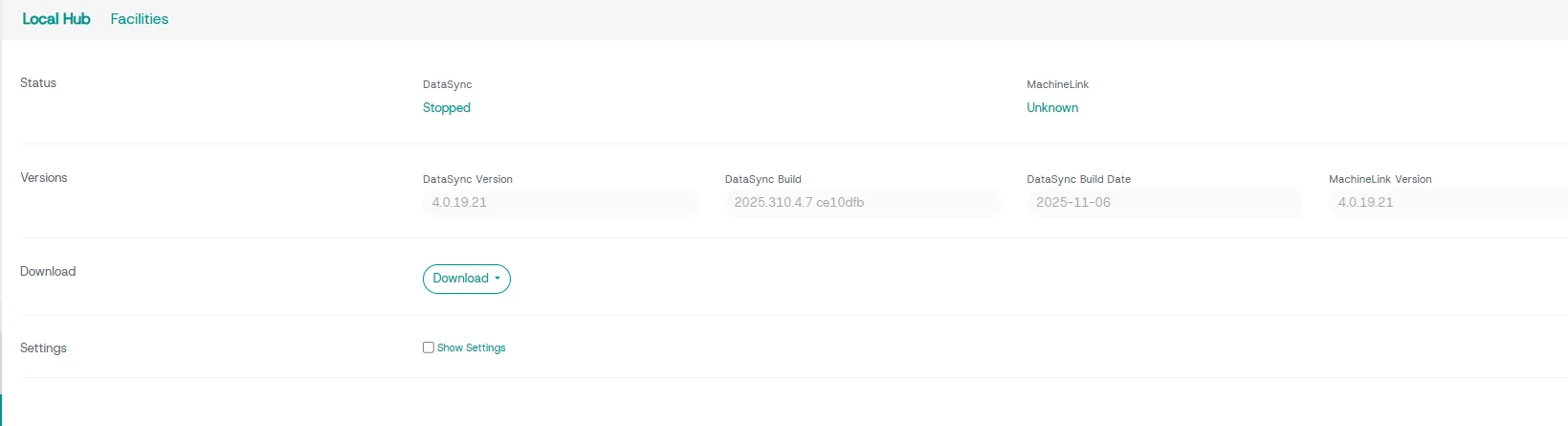
PulseIQ requires that the Local Hub components be installed on a PC on the same network as your embroidery machines and that this PC has internet access to the PulseIQ server. The files required to install the local components can be found in the PulseIQ Administrator under the menu item Admin-Local Hub. If you have multiple facilities, choose the facility name you will be setting up from the Facility menu at the top. If this Facility menu is not present then proceed to download.
Clicking the Download button and selecting Local Hub Setup will download the Local Hub installer called PulseIQ_LocalHub_setup.exe. In addition to the installer, you will also need to download the configuration files for the Local Hub called: appsettings.json (DataSync Configuration) and MachineLink_conf.json (MachineLink Configuration). These configuraiton files will be needed during the install process.
Please remove any older copies of the installer and configuration files from your download folder prior to downloading the new version.
Installing PulseIQ Local Hub
Double-click the PulseIQ_LocalHub_setup.exe file to begin the installation process. Follow the onscreen instructions to complete the setup process. First, the installer will check for any missing pre-requisites before installing. This includes some Microsoft component updates and uninstalling an older version of PulseIQ if necessary. After this has completed, it will install PulseIQ. One of the installation steps is to choose the folder containing the DataSync and MachineLink configuration files that were previously downloaded (appsettings.json and MachineLink_conf.json). Make sure the correct folder is selected before continuing. The installer will not continue if the selected folder does not contain both files. Restart the PC when prompted by the setup application.